
OS 27 Launcher : Golden Gate
True Global LabsPersonalization
4.517.00 Reviews
- Version
- 1.1.6
- Installs
- 100.00K
- Age Rating
- Everyone
Screenshots
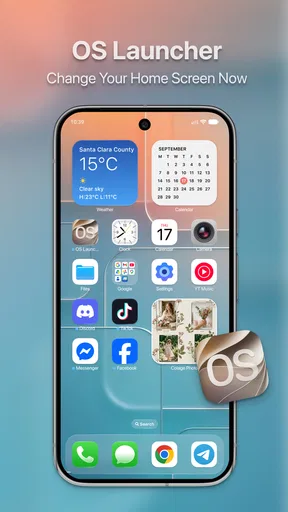
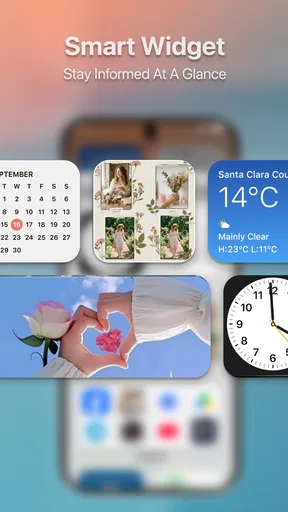
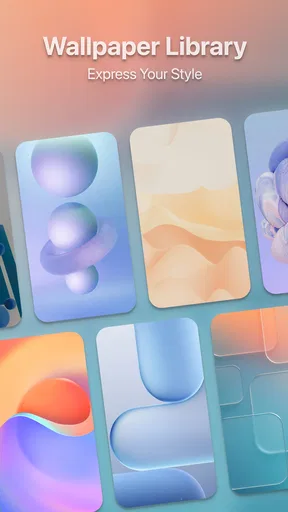
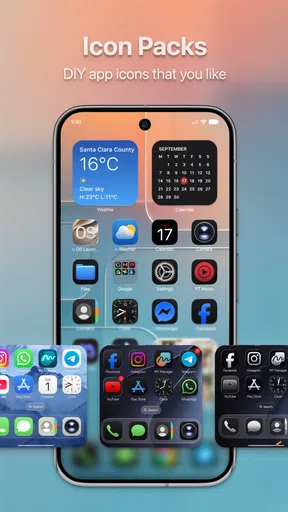
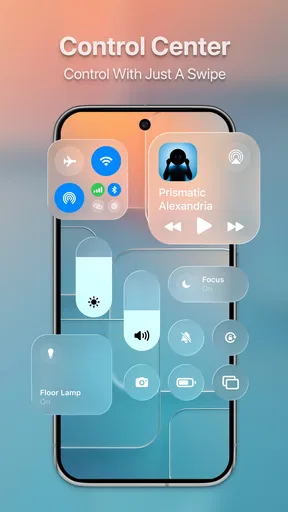
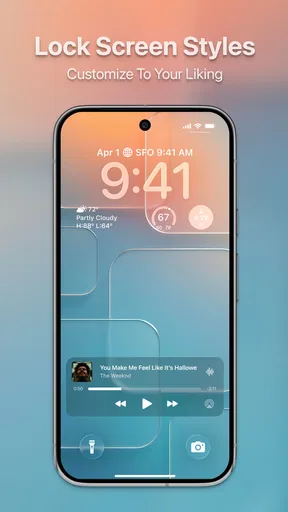
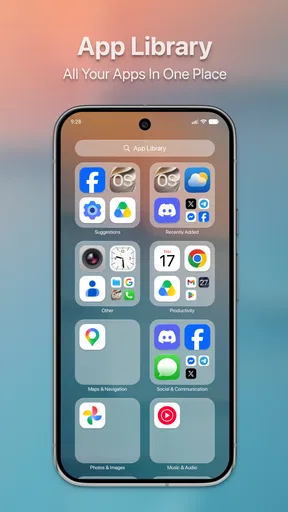
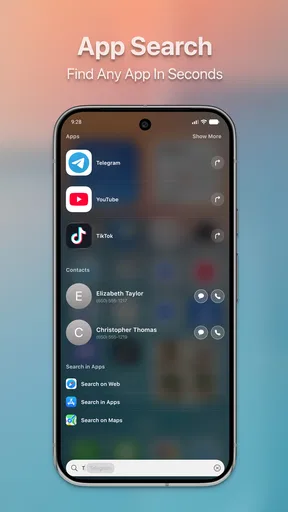
Our Review of OS 27 Launcher : Golden Gate
 Analysis by Appyee
Changing a launcher can feel like a small decision until several people use the same tablet or phone. Then the home screen becomes part of the household routine: one person wants a clean layout, another wants familiar access to apps, and someone else may simply need to find the right icon quickly. I tested OS 27 Launcher: Golden Gate with that shared-use perspective in mind. It is a free personalization app from True Global Labs that aims to give Android a polished, modern operating-system-inspired appearance without requiring a new device.
My first impression was that its appeal is visual rather than technical. The launcher is designed for people who want their everyday screen to look more deliberate, with a sleek style replacing the standard arrangement that came with the phone. That makes it easy to understand why it has reached over 100 thousand installs and holds a 4.5 average from around 11 thousand ratings. Those figures suggest that the concept is connecting with a sizeable group of Android users, although the experience still depends heavily on how much control and consistency you expect from a launcher.
A polished home screen for more than one person
The most convincing use case is a household device that feels cluttered but does not need a complete technical overhaul. Imagine a family tablet used for music, video, school tools, travel planning and occasional games. The default home screen may have accumulated icons from several people. A launcher with a more unified visual approach can make that device feel less chaotic, especially when different users take turns with it.
That does not mean the app creates separate household profiles or private spaces. I would not treat it as a family-management tool. Its role is presentation and access: it changes the way the home screen is organized and styled. If your household needs individual accounts, app restrictions, screen-time rules or protected personal areas, those needs belong to the device’s operating system or another dedicated solution.
For a shared phone, the benefit is mainly coordination. A household can agree on where the most important apps should remain, then use the launcher’s visual treatment to make the arrangement easier to recognize. A parent might keep communication and school apps near the first screen, while entertainment stays farther away. The value is not that the launcher makes those decisions automatically; the value is that a consistent layout can reduce the small amount of searching that happens every day.
I also found that a stylish launcher can be useful for an older relative who is comfortable with Android but dislikes a busy interface. The modern look may feel more intentional than a crowded stock setup. Still, appearance should not come before legibility. If a family member relies on very large text, strong contrast or familiar manufacturer shortcuts, the default interface may be the safer choice. A beautiful layout is not automatically a clearer one for every user.
What the first setup should accomplish
When installing a launcher on a shared device, I recommend treating the first arrangement as a household agreement rather than a personal makeover. Before changing anything, decide which apps must remain immediately visible and which ones can stay in the app drawer or on later pages. This avoids the common problem where one person creates a visually neat screen that another person cannot navigate.
It is also worth checking which launcher is selected as the device’s default home experience. Android can ask you to choose between the existing launcher and the new one, and the wording can vary by device. I would make that choice while the device owner is present, especially if children, guests or less technical relatives use the phone. A launcher changes the starting point of the device, so everyone who depends on it should know what has changed.
The app is free to install, which makes experimentation relatively easy. It also includes in-app purchases ranging from $0.99 to $19.99 per item. I would not assume that every visual option is included without checking the relevant screen before confirming a purchase. On a shared device, this matters because a child or guest may explore customization menus without understanding that a selection can lead to a paid item.
That is one of my practical boundaries for household use: install it under the device owner’s supervision, review the available customization choices, and do the visual setup before handing the device to other users. This prevents the launcher from becoming a source of accidental changes or unexpected spending. Since the app is rated Everyone, it is suitable in the broad content sense for a general audience, but that rating should not be confused with a promise of family controls or purchase protection.
Keeping the layout understandable
The strongest arrangement is not necessarily the one with the fewest icons. For shared use, I prefer a first screen with only the apps that everyone recognizes and uses. Communication, camera, settings and the main browser usually deserve predictable positions. Less universal apps can be grouped elsewhere, but I would avoid building a layout that depends on one person remembering a complicated visual system.
A useful trick is to make the first screen reflect actions rather than ownership. Instead of arranging icons around who uses them, arrange them around what someone is trying to do: contact people, learn, travel, listen or relax. That approach makes the launcher easier for a guest or visiting relative to understand. It also reduces the temptation to treat the home screen as someone’s private dashboard when the device is actually shared.
Another trade-off is the difference between a consistent look and immediate familiarity. The OS-inspired styling can make Android feel refreshed, but users accustomed to the manufacturer’s icons and gestures may need a short adjustment period. I would introduce the new layout gradually on a household tablet rather than changing the only phone everyone relies on just before a trip or an important appointment.
Coordination without pretending it is a management tool
One of the app’s most useful household qualities is visual coordination. If everyone agrees that the same key apps stay in the same area, the launcher becomes a shared map. That can be particularly helpful when one person is explaining the device over the phone: “Go to the first screen and choose the blue communication icon” is easier when the layout is stable.
However, stability requires cooperation. A launcher cannot stop another user from rearranging the home screen, removing shortcuts or changing preferences unless the device itself provides those protections. This is an important limitation for families with young children. The app can make the interface attractive, but it should not be selected as a substitute for supervised accounts, restricted profiles or parental settings.
For a small household, I would create a simple rule: only the device owner changes the launcher’s arrangement, while everyone else can use the apps normally. That keeps the visual structure intact. If the phone is personal rather than shared, this concern largely disappears, and the app becomes more appealing because you can shape the screen entirely around your own habits.
There is also a privacy boundary worth keeping clear. A coordinated home screen does not mean that people should place private conversations, financial tools or personal documents where every user can open them. The launcher changes access presentation, not the underlying account separation inside those apps. Shared-device planning should therefore include a review of which apps are appropriate to leave visible and which should remain protected by their own sign-in or device security.
Age, trust and everyday supervision
The Everyone age rating makes the app approachable for a broad range of users, and its purpose is easy to explain to a child or older adult: it gives the home screen a different style. Even so, I would show younger users the difference between changing the appearance and changing the device’s actual settings. A child may see a new icon arrangement as a game, while the owner sees it as the navigation system for the whole household.
Trust is especially important because a launcher sits at the center of the device experience. I would install it only from the official app store and review the setup directly rather than asking a less experienced family member to handle it alone. That is not a criticism of True Global Labs; it is simply sensible practice for any app that becomes the first screen people see.
The current version is 1.1.6, and the app requires Android 8.0 or later. That makes it relevant to many older Android devices, but compatibility on paper does not guarantee that every manufacturer will present the same menus or behave in exactly the same way. Android interfaces differ between brands, so I would test the launcher on the actual household device before reorganizing everything around it.
On a device shared with an older relative, I would pay close attention to whether the new appearance makes essential actions easier or merely more fashionable. If the user already knows the stock interface, changing it may create unnecessary confusion. In that situation, the launcher is worth considering only if the person likes the new look after a short guided trial.
Where it beats the usual alternatives
The usual alternative is to keep the manufacturer’s launcher and adjust wallpaper, widgets and icon placement. That is the least disruptive option, and it is often best for people who value reliability above visual change. It also preserves the familiar gestures and device-specific tools that may be important on a shared phone.
OS 27 Launcher: Golden Gate makes more sense when the standard interface feels dull or inconsistent and you want a stronger visual identity. Compared with a purely minimalist launcher, its attraction is the modern OS-style presentation rather than an extreme focus on removing every element. Compared with a highly technical customization launcher, it appears aimed at people who want a finished-looking direction without turning the home screen into a project.
The trade-off is that a more themed experience can be less flexible than a neutral setup. If you enjoy controlling every spacing detail, building elaborate widget pages or matching a very specific personal workflow, a specialist customization tool may suit you better. If you want a recognizable, polished starting point with less design effort, this app is the more approachable experiment.
I would also separate the launcher from icon-pack expectations. A new home-screen style can make the device feel different, but it does not automatically transform every app’s internal design. Once you open a banking app, messaging service or game, you are still using that app’s own interface. The launcher improves the front door; it does not unify the entire operating system.
A realistic shared-device routine
Consider a tablet used in the kitchen. In the morning, one person checks the calendar and weather, later another plays music while cooking, and in the evening a child opens a learning app before watching a video. With the launcher installed, I would place the common tools in a predictable first-screen arrangement, keep entertainment on a separate page, and leave the settings area untouched. I would then ask each user to open the apps they need once, so nobody discovers the new layout during a rushed moment.
If the tablet is passed to a guest, the visual structure helps them identify the main functions, but I would still avoid leaving personal accounts signed in. The launcher can support a shared routine, not replace good account hygiene. That distinction is easy to overlook because a neat home screen creates a feeling of order that may not exist inside the apps themselves.
For a personal phone, my routine would be different. I would install the launcher, spend a few minutes deciding which apps deserve the first screen, and then use the device normally for several days before making further changes. This delay is useful: it reveals whether the new arrangement actually speeds up common tasks or simply looks attractive in screenshots.
Limits that matter before you commit
The main limitation is that visual improvement can expose practical compromises. A launcher may alter the way you reach apps, and any change to muscle memory can slow you down at first. That is a reasonable price for a new look if you enjoy personalization, but it is not a worthwhile trade for someone who needs the fastest possible access to familiar controls.
Another concern is shared-device consistency. The app works best when one person maintains the layout. In a household where everyone changes the home screen freely, the visual system can become unstable and the original benefit disappears. For that reason, I see it as a good fit for a family tablet with an agreed arrangement, but a weaker fit for a device that constantly changes hands without any common rules.
The purchase range also deserves attention. The free starting point is helpful, yet the presence of optional items means the final customization experience may depend on what you choose to buy. I would begin with the free configuration and decide whether the change genuinely improves daily use before spending anything. A new look is not automatically worth paying for if the device already feels clear and comfortable.
I would skip this app if you need robust parental controls, separate household profiles, guaranteed protection from rearrangement, or a launcher built around deep technical automation. I would also skip it if your current manufacturer interface is already familiar to everyone and nobody wants to relearn basic navigation. In those cases, the standard launcher or a purpose-built family setup is likely the better answer.
My household verdict
After looking at it as both a personalization tool and a shared-device choice, I see OS 27 Launcher: Golden Gate as a visually focused upgrade rather than a complete household solution. Its strongest quality is the ability to give an ordinary Android home screen a more intentional, modern character. That can make a personal phone feel fresher and can give a shared tablet a common visual language.
True Global Labs has positioned the app in the personalization category, and that is exactly how I would approach it. Install it because you want to change the way the home screen looks and feels, not because you expect it to manage accounts, supervise children or separate private information. Keeping that boundary clear makes the experience more satisfying and prevents disappointment.
For a free app with optional purchases, it is easy to try without treating the decision as permanent. I would test it first on a secondary or shared tablet, set a stable arrangement, and ask every regular user whether the result is easier to understand. If the answer is yes, the launcher has earned its place. If people keep searching for familiar controls or undoing the layout, the default interface is probably serving the household better.
My recommendation is therefore selective but positive: choose it if you want an OS-inspired visual refresh and are willing to spend a little time establishing clear home-screen habits. The best result comes when the design supports the way your household already uses the device. The key is to treat the launcher as a shared navigation surface, not as a replacement for trust, account boundaries or family controls.
Verdict
Strengths of OS 27 Launcher : Golden Gate
- Golden Gate theme gives the interface a distinctive, polished appearance.
- Lightweight design should run smoothly on many older Android devices.
- Quick access to customization options makes setup straightforward.
- Icon and wallpaper styling creates a consistent visual experience.
- Useful choice for users wanting an iOS-inspired look without changing phones.
Limitations of OS 27 Launcher : Golden Gate
- Some features may require extra downloads or in-app purchases.
- Heavy use of themed graphics can reduce battery life on older devices.
- Ad interruptions may appear while browsing launcher settings or themes.
- Compatibility may vary across Android versions and manufacturer interfaces.
- Changing launchers can require resetting default-app permissions manually.
Similar Picks in This Category
View All
Microsoft SwiftKey AI Keyboard
SwiftKey4.3

Wallpapers
Google LLC4.1

Zedge™ Wallpapers & Ringtones
Zedge4.7

Yandex Browser with Alice AI
Direct Cursus Computer Systems Trading LLC4.3

Ringtone Maker:create ringtone
Big Bang Inc.4.7

Fonts Keyboard
Fonts Keyboard3.9
Frequently Asked Questions
What is OS 27 Launcher: Golden Gate?
OS 27 Launcher: Golden Gate is an Android customization app designed to give your phone an iOS-inspired appearance. After installing it, users can typically change the home screen style, app icons, wallpapers, widgets, and other visual elements to create a polished golden-themed interface. It does not replace Android itself; instead, it works as a launcher layer that changes how the home screen and app drawer look and behave.
Is OS 27 Launcher: Golden Gate compatible with every Android phone?
Compatibility can vary depending on your Android version, device manufacturer, screen resolution, and existing launcher settings. The app may work well on many modern Android smartphones, but some features can behave differently on Samsung, Xiaomi, Motorola, Oppo, or other customized systems. Before downloading, check the Google Play Store requirements and make sure your device has enough storage and permission support for launcher, notification, or wallpaper functions.
Does OS 27 Launcher: Golden Gate slow down the phone or drain the battery?
The launcher is generally lightweight enough for everyday use, but its effect on performance depends on the phone and the features you enable. Animated wallpapers, transition effects, live widgets, notification badges, and frequent background updates may use additional memory or battery. On older or entry-level devices, reducing animations and disabling unnecessary services can help maintain smoother performance and better battery life.
Is OS 27 Launcher: Golden Gate free to use?
The app may be available as a free download, although certain themes, customization tools, wallpapers, or advanced settings can require in-app purchases or may be supported by advertising. Users should review the listing carefully before installing and check whether optional subscriptions or paid upgrades are offered. Also remember that uninstalling the launcher does not automatically cancel any subscription made through Google Play.
What permissions does OS 27 Launcher: Golden Gate require, and is it safe?
A launcher may request permissions related to displaying over other apps, notifications, wallpapers, accessibility features, or setting itself as the default home application. These permissions can support customization features, but you should only grant access that you understand and consider necessary. Download the app from a trusted official store, review its developer information and privacy policy, and remove permissions that are not needed for your preferred setup.
